
Building the Site from Shared Layouts, Includes, and Data
When I first wrote about building this site, I said I had learned more Jekyll than I wanted to. I wasn’t kidding. Having the source finally made it possible to change what I needed, but first I had to figure out where Jekyll got each piece of the page.
Part 2 got the local preview under control. I could see the page I was editing, including work that was not ready for the public site. But I was still going to drive myself nuts if a change to a project page meant hunting down the same markup in the menu, the project list, and its blog. The page could look fine while one of the other places was wrong.
The thing that made Jekyll click for me was its hierarchy. I stopped treating every page as a separate little website and started asking what the page itself should own, what a layout should supply, and what belonged in a shared include. A project still has its own words and identity. It does not need its own copy of the site’s header, project card, or blog-list machinery.
Start With One Project Page
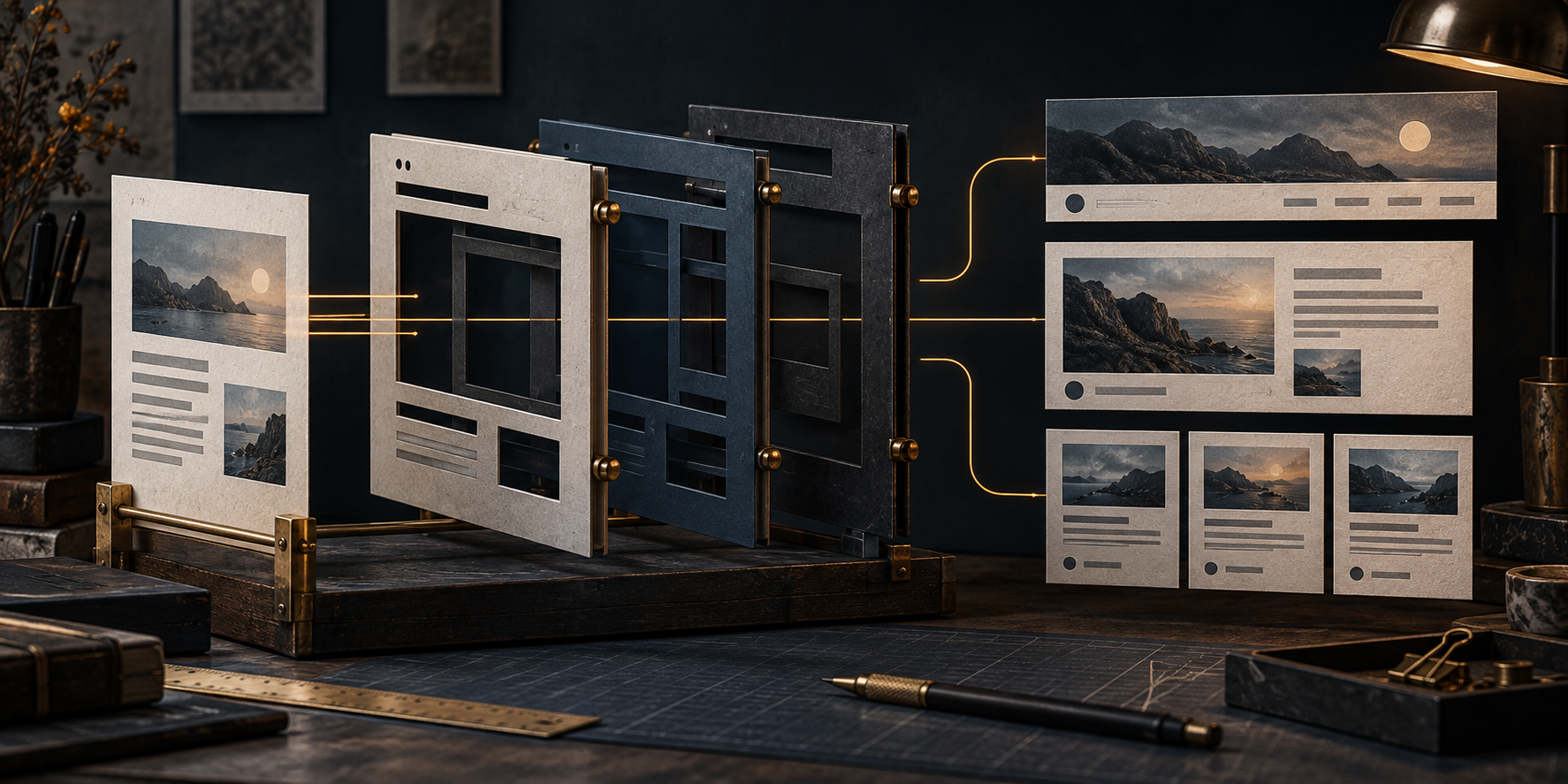
A project landing page declares layout: project and a category that identifies its project. The page supplies its title and Markdown body. Jekyll renders it through project.html, which uses page.html, which uses default.html. It sounds like a small detail, but that chain is where I stopped repeating myself.
default gives me the site shell: head, header, main content area, and footer. page adds the title, breadcrumbs, banner, body, and content footer. project supplies the project details and that project’s blog list. If I change the common header, I change it in one place. If I want project pages to present their details differently, I change the project layout instead of editing every project’s Markdown.
An invented project page only needs to say which project it is:
layout: project
title: Example Tool
category: example-tool
permalink: /projects/example-tool/
That category is not decoration. The project layout calls project_lookup.html to find the matching name in generated project data. The page layout can use the same match for a project banner. If I get the name wrong, the Markdown file can still exist and the page can still render, but the project details will not line up. That is the kind of mistake a generic “the build passed” message can miss.

The page supplies the content; layouts and includes supply the repeated structure.
Put the Repeated Work in One Place
The includes take the jobs I used to be tempted to repeat. project_lookup.html finds the project data. blog_list.html shows its posts. The default layout pulls in the header, and the header’s navigation reads the generated project data for the Projects menu. The Projects page reads that data too, using its own list include for the public and private groups. One project definition can reach all those places without me hand-editing each list.
That menu matters to me because it was one of the early rabbit holes. I wrote about trying to get Jekyll to build navigation from a data file and then discovering that the suggested solution did not actually do the whole job. I had to work out my own front-matter and Liquid path. Today the project portion of the menu reads the generated project data. Adding a project should not mean opening the navigation template just to type its name again.
The blog list does more than print links. It asks filter_discovery_posts.html which posts belong, sorts them for discovery, adds the shared date and series labels, and paginates a longer list. The project layout passes in its page.category. Another page can ask for a section or a series. I get one familiar way to display posts without pretending every blog page should show the same set.
There is an important limit here. The shared filter leaves out drafts, unpublished posts, deliberately excluded items, and posts for projects marked none in the generated data. The project layout also hides the blog list for a hidden project. Those choices control what these views show. They are not access control, and they do not prove that every possible route to a generated file disappears. A private repository can still have a public description and project blog on this site. I have to mean that choice, not mistake the word private for a security boundary.
I will get into how the YAML catalog becomes project data in Part 5. For this article, the useful point is where the handoff happens: I author the project settings, the generator prepares data for the site, and Liquid uses that data when Jekyll builds the pages. The includes can then do their separate jobs without each one inventing its own project definition.
Then the YAML Had to Line Up
There is a tradeoff. Once several templates read the same fields, the YAML at the top of a page matters a lot more. layout decides which template chain runs. category connects a project page to its generated entry. Other fields decide where a post appears, which image gets used, and what a reader sees in a list. A typo is no longer confined to one paragraph of Markdown.
I am not limited to the front-matter fields Jekyll starts with. I can add a field for something this site needs, then teach an include, layout, or plugin what to do with it. That is how series_order controls reading order, update_notice with a later last_modified_at can bring an older article back into discovery, and audio can put a player on a post I have chosen to narrate. Merely adding a YAML key does not make any of that happen; the code that reads it is the other half of the feature. That is a useful pattern if you are extending your own site, and it is also why I need to document what each field means.
Project pages use singular category for that lookup. Standard blog posts use categories for sections such as Technology or Hands-On. A series post needs its name, part, reading order, landing page, and navigation links to agree. The post layout also reads the title, date, image, and any update, correction, or audio fields. The discovery list reads some of those fields for a different reason. I can update an older article and let it surface again in discovery without changing its original publication date.

More fields affect rendering than the current strict taxonomy check validates.
I can write perfectly valid YAML and still get the wrong page. A missing series order can put an installment in the wrong spot. A category mismatch can leave a project page without the details I expected. An image path can simply be wrong. The layouts have fallbacks for some missing values, which is useful, but a fallback can also make an error look less obvious. I still need to look at the rendered page.
What the Checks Catch
The part I check strictly today is the tag taxonomy. html/_data/tag_taxonomy.yml lists the topical tags I actually use and keeps content types such as introduction, release, update, and reference separate. The build rejects duplicate tags, unknown tags, and retired aliases in posts under _posts. It also rejects an unknown content_type when one is supplied. Actual _drafts paths are skipped by that validator, so I can still run a draft-inclusive preview while working through older material.
The taxonomy validator runs in the Jekyll build. There is also a focused command wired into pre-commit and the GitHub Pages workflow. That workflow builds the production site and checks the short-link and project redirects before it deploys. Those are concrete checks in the configured pipeline. They are not proof that somebody’s local hooks are installed or that a particular deployment worked.
There is also an older script that can add missing image, title, and excerpt fields. It edits files, so it is a different kind of tool from the taxonomy validator. More to the point, the taxonomy check does not verify every field I have just described. It will not tell me that a series link points to the right article or that the banner I chose actually loads. I still review the source and open the page. A green build is useful; it is not the final editorial decision.
The Hands-On 3A companion makes that boundary visible. It runs the current taxonomy plugin against invented posts, including one with a missing series order that the build accepts. That is the result I want readers to notice.
Current State
A project page brings its own content into shared project, page, and default layouts. Includes connect it to generated project data, the menu, and reusable blog lists. That is a lot less repetitive work than building each project page by hand.
The price is paying attention to the fields those pieces share. Some, especially canonical tags, have hard checks. Others still rely on the conventions I have built and on seeing the result in the browser. I am fine with that trade. I just need to remember that a change to one field can reach more than one page.
Next Work
Next comes a different kind of repetition I do not want: fixing links every time I move a source file or improve a title. Part 4 is about keeping the public URL stable while the repository keeps changing, and why canonical URLs, redirects, and short links each have their own job.
Join the Discussion
Comments for this post live in GitHub Discussions. That keeps moderation in one place and gives the conversation a stable home.