
Extract Chat
|
Extract ChatExtract ChatGPT sessions from downloaded JSON into HTML and Markdown with metadata, also chunking for ML pipeline. |
Project Blog Entries
-
Introducing Extract Chat
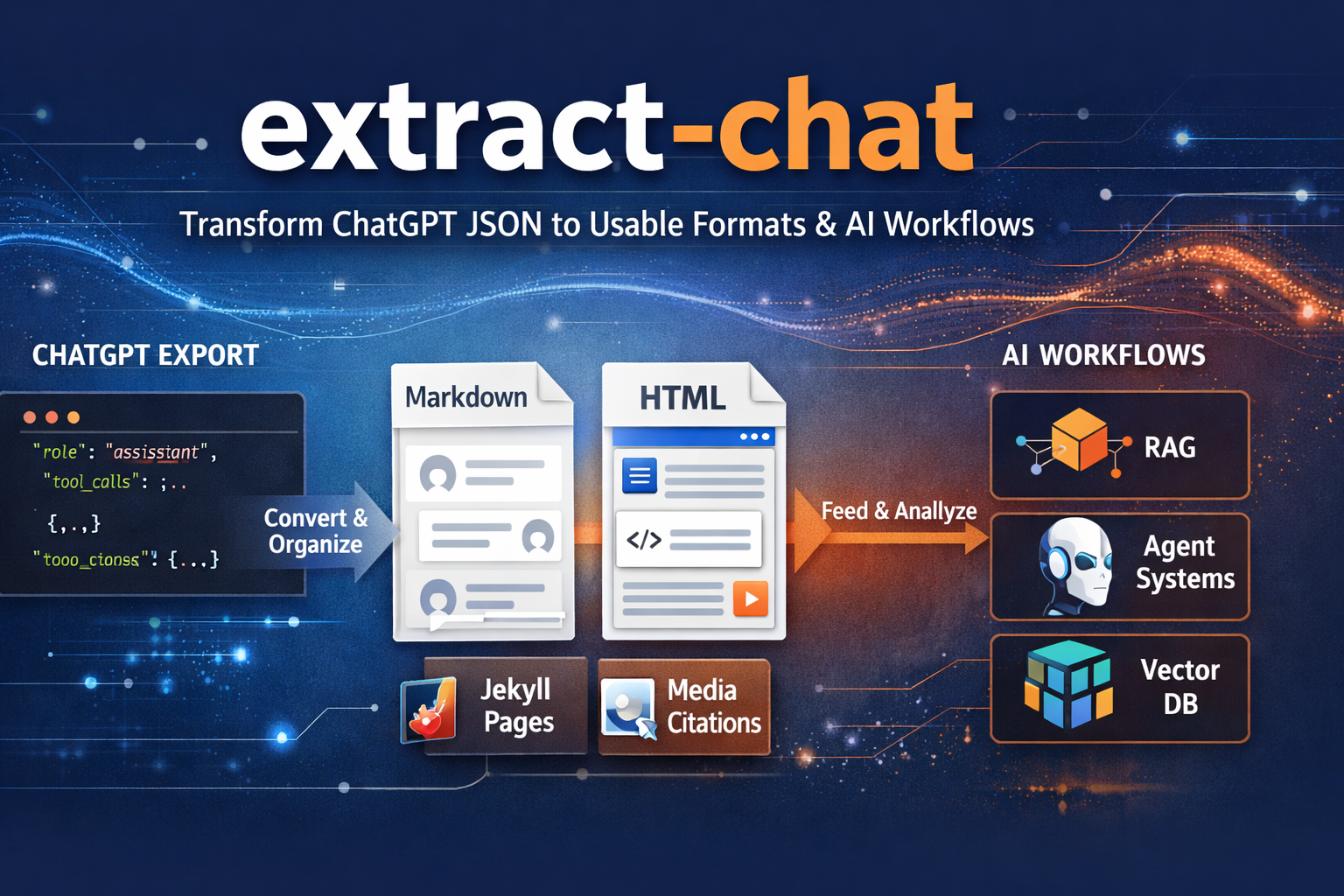
Downloaded a ChatGPT JSON export and wondered what to do with it next? Extract Chat turns that raw export into readable Markdown or HTML, preserves the useful structure, and chunks it for real AI workflows.
If you have ever exported a ChatGPT conversation and then opened the JSON only to realize it was technically useful but not exactly human-friendly, extract-chat is the tool meant to fix that.
It takes raw ChatGPT or OpenAI conversation exports and turns them into something you can actually work with. Instead of a pile of structured data that mostly makes sense to a machine, you get readable Markdown, clean HTML, and output that is much easier to archive, review, publish, or reuse in other AI workflows.
What makes it especially useful is that it does not just flatten everything into plain text and call it a day. It preserves the structure that matters. References and citations stay intact. Hidden tool activity can still be surfaced. Longer conversations can be broken into chunks that are easier to feed into embeddings, retrieval workflows, or agent systems.
This makes extract-chat a natural companion to LogGPT. LogGPT gives you the exported conversation JSON, including an easy App Store path for Safari users, and extract-chat turns that exported conversation into something worth keeping. Together they form a much more practical workflow for anyone who wants local control over their AI conversation history.
If your ChatGPT sessions are more than disposable chat, if they contain research, writing, debugging, analysis, or context you may need again later, extract-chat helps turn that history into something readable, portable, and genuinely reusable.
For code, usage, and installation details, see the project repository: